(0)

    Programovacie bloky LEGO® Powered Up


    LEGO® Powered Up aplikācijā ir izmantota vienkārša, viegli saprotama programmēšanas valoda, kuru ir viegli apgūt jebkura vecuma faniem. Tās pamatā ir kas tāds, ko instinktīvi saprot ikviens LEGO fans - kā likt klucīšus vienu blakus otram un vērot, kā tie savienojas kopā.

    Programmēšanas blokiem ir dažādi veidi un krāsas, kas norāda, kāda veida bloku jūs izmantojat.

    Šeit ir sniegti daži biežāk izmantoto programmēšanas bloku piemēri. Ja nav pārliecības par bloka funkciju un tā šeit nav norādīta, varat to izmēģināt aplikācijā vai [aplūkot mūsu pilno programmēšanas bloku ceļvedi]. Daļa no LEGO Powered Up jautrības ir eksperimentēšana, spēlēšanās un mācīšanās.

    Pale yellow circle with a triangle inside that indicates to play Dzeltenie plūsmas bloki

    Dzeltenie bloki kontrolē komandu plūsmu. Tos var izmantot, lai palaistu programmu, apstādinātu programmu, iepauzētu programmu vai veiktu cikliskas komandas.

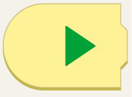
    Yellow programming block with a curved left side and a green play arrow.

    Ar šo bloku tiek palaista programma.

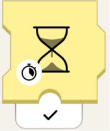
    Yellow programming block with an hourglass. At the bottom left of the hourglass, there is a stopwatch. Beneath the block there is a black checkmark.

    Šis smilšu pulksteņa bloks liks programmai gaidīt noteiktu sekunžu skaitu.
     

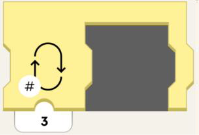
    Yellow programming block with an empty space to fit another programming block. On the left of the block is an image of a loop, and in the lower left-hand corner there is a number symbol. Beneath the block is the number 3.

    Šis bloks vairākkārtīgi sadalīs programmas daļu ciklos.

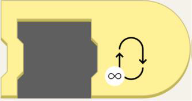
    Yellow programming block with an empty space to fit another programming block. On the block, to the right, is a loop with an infinity symbol in the lower left-hand corner.

    Šis bloks sadalīs programmu ciklos uz visiem laikiem!

    Orange circle with an orange eye inside. Oranžie sensora bloki

    Oranžās plūsmas bloki darbojas ar krāsu un attāluma sensoru, kustību centra slīpuma sensoru, tālvadības pulti un WeDo 2.0 sensoriem. Šie bloki aktivizēs darbību, kad sensors Jūsu modelī kaut ko pamanīs.

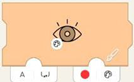
    Left-closed orange programming block with eye. On the lower left of the eye is an image of a painter's pallet. Tab on right has red circle next to a painter's pallet. Tab on left has the letter A and a bracket with in and out arrows.

    Izmantojiet krāsu sensoru, lai aktivizētu notikumu, kad tiek uztverta konkrēta krāsa.
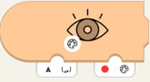
    Orange programming block with eye. On the lower left of the eye is an image of a painter's pallet. Lower right tab has a red circle next to a painter's pallet. On the left, there's a tab with the letter A and a bracket with in and out arrows.

    Pagaidiet, līdz krāsu sensors noteiks blokā izvēlēto krāsu.

    Orange programming block with eye and nub on top. On the lower left of the eye is an image of a painter's pallet. There's a white tab on the bottom with the letter A and a bracket with in and out arrows.

    Iegūstiet ar sensoru izmērīto pašreizējo krāsu.
    Orange programming block with eye and nub on top. On lower left of the eye is a scale of white to black. There's a white tab on the bottom with the letter A and a bracket with in and out arrows.Iegūstiet pašreizējo apkārtējā apgaismojuma līmeni, kuru izmērījis sensors.

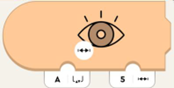
    Orange programming block with eye, closed on left side. On lower left of the eye is a line with hatch marks. Bottom left tab has letter A and a bracket with in and out arrows. On the right is a tab with 5 and a line with hatch marks.

    Aktivizējas, ja sensora izmērītais attālums ir mazāks par norādīto attālumu.

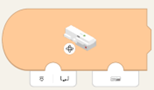
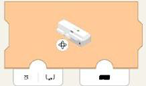
    Orange programming block with curved left side and image of Move Hub. On lower left of hub is a rotation symbol. Bottom left tab has image of hub port and bracket with in and out arrows. Bottom right has tab with image of hub.

    Izmantojiet iekšējo žiroskopu, lai aktivizētu notikumu, pamatojoties uz centrmezgla orientāciju. Pagaidiet, līdz centrmezgla orientācija ir vienāda ar centrmezgla orientāciju.

    Orange programming block with image of Move Hub. On lower left of hub is a rotation symbol. On bottom left tab is an image of hub port and bracket with in and out arrows. Bottom right tab has black rectangle.

    Pagaidiet, līdz centrmezgla orientācija ir vienāda ar centrmezgla orientāciju.

    Green circle with a green propeller image. Zaļais motors vai kustību bloki

    Zaļie bloki liek modelim kustēties! Pastāv taho motori (lai kontrolētu ātrumu un pozīciju) un pamata motori (lai brauktu pilnā ātrumā). 

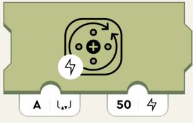
    Olive green programming block with image of circle and arrows representing turning. On the bottom left of this image is a lighting symbol. Bottom left tab with the letter A and a bracket with in and out arrows. Right tab has number 50 and lightning image.

    Nosaka motora jaudu. Pozitīvie skaitļi rotē pulksteņrādītāja virzienā, bet negatīvie - pretēji pulksteņrādītāja virzienam.
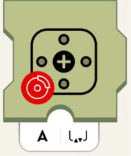
    Olive green programming block with motor symbol. On lower left of symbol is red circle with crossed-out lightning symbol. Bottom white tab has the letter A and a bracket with in and out arrows.Samazina motora jaudu un lēnām to aptur.
    Olive green programming block with motor symbol. On lower left of symbol is red circle with image of car brake. Bottom white tab has the letter A and a bracket with in and out arrows.Izslēdz motoru.

    Purple circle with purple dial in the middle and little circles all around. Violeta skaņa un gaismas bloki

    Violetie bloki var atskaņot skaņas, izmantojot ierīces skaļruņus, mainīt kustības centrmezgla gaismu krāsu, krāsu un attāluma sensorus. Šie bloki kontrolē arī LED apgaismojumu.

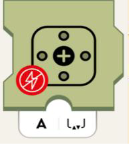
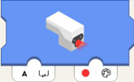
    Blue programming block with sensor light glowing. White tab on the bottom left with the letter A and a bracket with in and out arrows. On the lower right, there's a tab with a red circle next to a painter's pallet.

    Iestata sensora LED apgaismojuma krāsu.
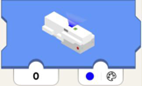
    Blue programming block with hub light glowing. Lower left tab has number 0. Tab on lower right has blue circle with painters pallet.Iestata centrmezgla LED apgaismojuma krāsu.
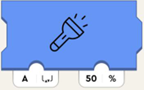
    Blue programming block with flashlight symbol. Bottom left white tab has the letter A and a bracket with in and out arrows. Bottom right tab has number and percent symbol.Iestata gaismas spilgtumu savienojumā ar konkrēto pieslēgvietu.
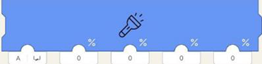
    Long blue programming block with flashlight symbol. First tab on lower left has letter A and brackets with in and out arrows.  4 other tabs have zeros.Iestata gaismas spilgtumu savienojumā ar pieslēgvietu (kreisais parametrs), bet atsevišķi iestata četrus LED puslokus sensoram.

    No kreisās uz labo, tie ietekmē:
    • labās "acs" augšējais loks
    • kreisās "acs" augšējais loks
    • labās "acs" apakšējais loks
    • kreisās "acs" apakšējais loks
    Blue programming block with house symbol. On lower left of symbol is a volume icon. The below tab has number 2.Atskaņo izvēlēto skaņu no mājas skaņu bibliotēkas.
    Blue programming block with whistle symbol, on lower left of symbol is volume icon. Below tab has number 2. Atskaņo izvēlēto skaņu no vilciena skaņu bibliotēkas.
    Blue programming block with train symbol, on lower left of symbol is volume icon. Below tab has number 2. Atskaņo izvēlēto skaņu no vilciena skaņu bibliotēkas.
    Blue programming block with car symbol, on lower left of symbol is volume icon. Below tab has number 2.Atskaņo izvēlēto skaņu no automašīnas skaņu bibliotēkas.
    Blue programming block with airplane symbol, on lower left of symbol is volume icon. Below tab has number 2. Atskaņo izvēlēto skaņu no lidmašīnas skaņu bibliotēkas.
    Blue programming block with dog symbol, on lower left of symbol is volume icon. Below tab has number 2. Atskaņo izvēlēto skaņu no suņu skaņu bibliotēkas.
    Blue programming block with cat symbol, on lower left of symbol is volume icon. Below tab has number 2. Atskaņo izvēlēto skaņu no kaķu skaņu bibliotēkas.
    Blue programming block with whoopie cushion symbol, on lower left of symbol is volume icon. Below tab has number 2. Atskaņo izvēlēto skaņu no purkšķu skaņu bibliotēkas.
    Blue programming block with the horn symbol, on lower left of symbol is volume icon. Below tab has number 2.Atskaņo izvēlēto skaņu no raga skaņu bibliotēkas.
    Blue programming block with hand clapping symbol, on lower left of symbol is volume icon. Below tab has number 2.Atskaņo izvēlēto skaņu no pūļa skaņu bibliotēkas.
    Blue programming block with robot symbol, on lower left of symbol is volume icon. Below tab has number 2.Atskaņo izvēlēto skaņu no robota skaņu bibliotēkas.
    Blue programming block with raygun symbol, on lower left of symbol is volume icon. Below tab has number 2.Atskaņo izvēlēto skaņu no mērķa skaņu bibliotēkas.

    Teal circle with dark teal joystick inside. Zilganzaļie logrīku bloki

    Zilganzaļie bloki ļauj vadīt modeli, izmantojot logrīkus.

    Green small programming block with nub on top. Has image of button. Tab underneath has number zero.   

    Ziņo par Widget Canvas pogas logrīka ar Channel-ID (1. parametrs) stāvokli (true/false vai 0/1).  

    Green small programming block with nub on top. Has slider icon. Tab underneath has number zero.

    Ziņo par Widget Canvas pārslēga logrīka ar Channel-ID (1. parametrs) stāvokli (true/false vai 0/1).
    Green small programming block with nub on top. Has image of directional button, with arrows front, back, left, right. Tab underneath has number zero.Ziņo par Widget Canvas daudzpogu logrīka ar Channel-ID (1. parametrs) stāvokli pēc ass principa. Tas nozīmē: ja tiek nospiesta apakšējā poga, tā ziņo "-100", ja tiek nospiesta augšējā - "100". Ja nav nospiesta neviena no tām - "0".
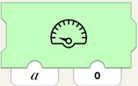
    Green programming block with image of speedometer. Two tabs are on the bottom, the one on the left has letter a, the one on the right has number 0.Norāda Widget Canvas spidometram, veselu skaitļu displejam vai jebkuram citam displejam ar Channel-ID (1. parametrs) rādīt vērtību (2. parametrs).
    Green small programming block with nub on top. Has slider icon with hatch marks inside. Tab underneath has number zero.Ziņo par Widget Canvas slīdņa logrīka ar Channel-ID (1. parametrs) pozīciju ("-100" līdz "100").
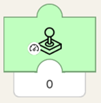
    Green small programming block with nub on top. Has joystick icon on block with image of speedometer in lower lefthand corner. Tab underneath has number zero.Ziņo par Widget Canvas kursorsviras logrīka ar Channel-ID (1. parametrs) amplitūdu ("-100" līdz "100").

    Jo tālāk no centra kursorsvira tiek atvilkta, jo lielāks būs skaitlis. Augšpusē kursorsviras skaitļi būs pozitīvi. Apakšpusē - negatīvi.
    Green small programming block with nub on top. Has joystick icon on block with image of steering wheel in lower lefthand corner. Tab underneath has number zero.Ziņo par leņķi (normalizēts no "-100" līdz "100", ne grādos, kas būtu no "-90" līdz "90"!) Widget Canvas kursorsviras logrīkam ar Channel-ID (1. parametrs).

    Ja kursorsvira ir vērsta tieši uz augšu vai uz leju (neatkarīgi no amplitūdas), bloka izejas signāls būs "0". Ja pēc tam kursorsviras rokturi kustinās pulksteņrādītāja kustības virzienā, skaitļi kļūs negatīvi un samazināsies, līdz sasniegs "-100" tieši kreisajā vai labajā pusē. Ja to kustinās pretēji pulksteņrādītāja virzienam, skaitļi kļūs pozitīvi un palielināsies līdz "100".

    Ja jums ir jautājumi par kādu no iepriekš minētajiem blokiem vai nepieciešama palīdzība, sazinieties ar mums.